



Forex Recent promotion

OVX Markets offers a $50 Forex Free no-deposit bonus
01 October 2026
Get a $25 Cash Bonus with XTrade Phone Verification Offer
24 September 2026
Check Eligibility for the $30 No Deposit Welcome Bonus
16 September 2026
XM Forex Trading in India Claim the $50 Bonus
05 September 2026
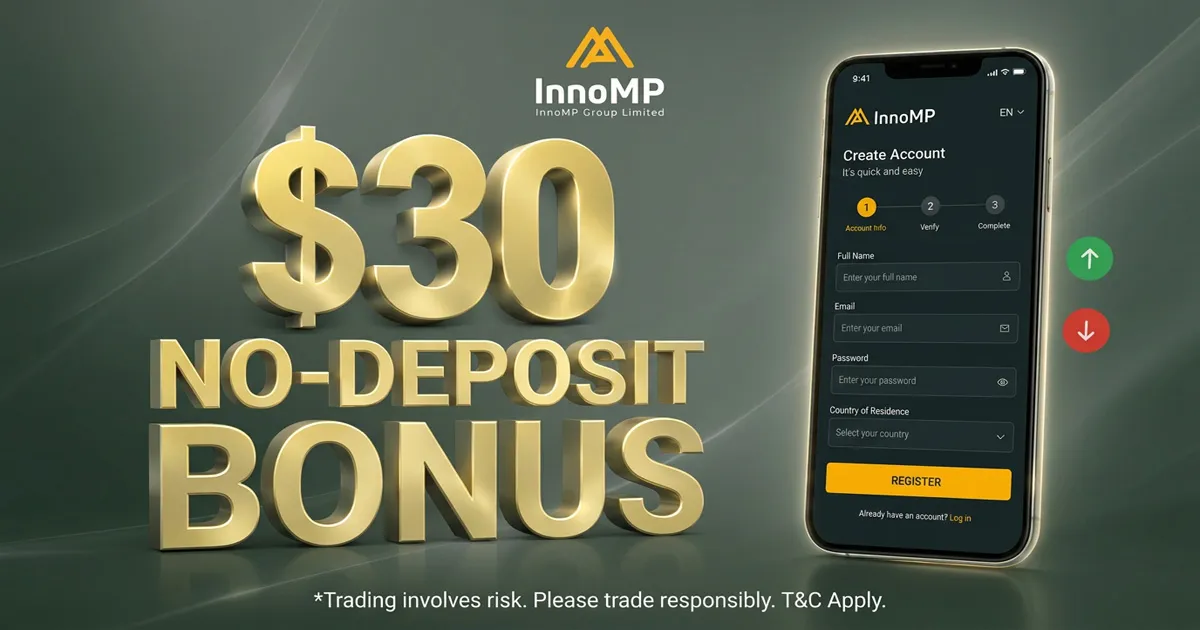
InnoMP $30 Forex No-Deposit Bonus How to Claim the Offer
01 September 2026

FISG $40 Newcomer Bonus Free Trading Credit
27 August 2026

The Valtex $30 Forex Free Trading Credit Bonus
26 August 2026

EMAR Markets $50 Welcome Bonus Guide for New Traders
11 August 2026

Join The Valetax Wondervault Trading Contest Today
10 August 2026

10 Best Forex Trading Apps for Beginners to Trade and Learn
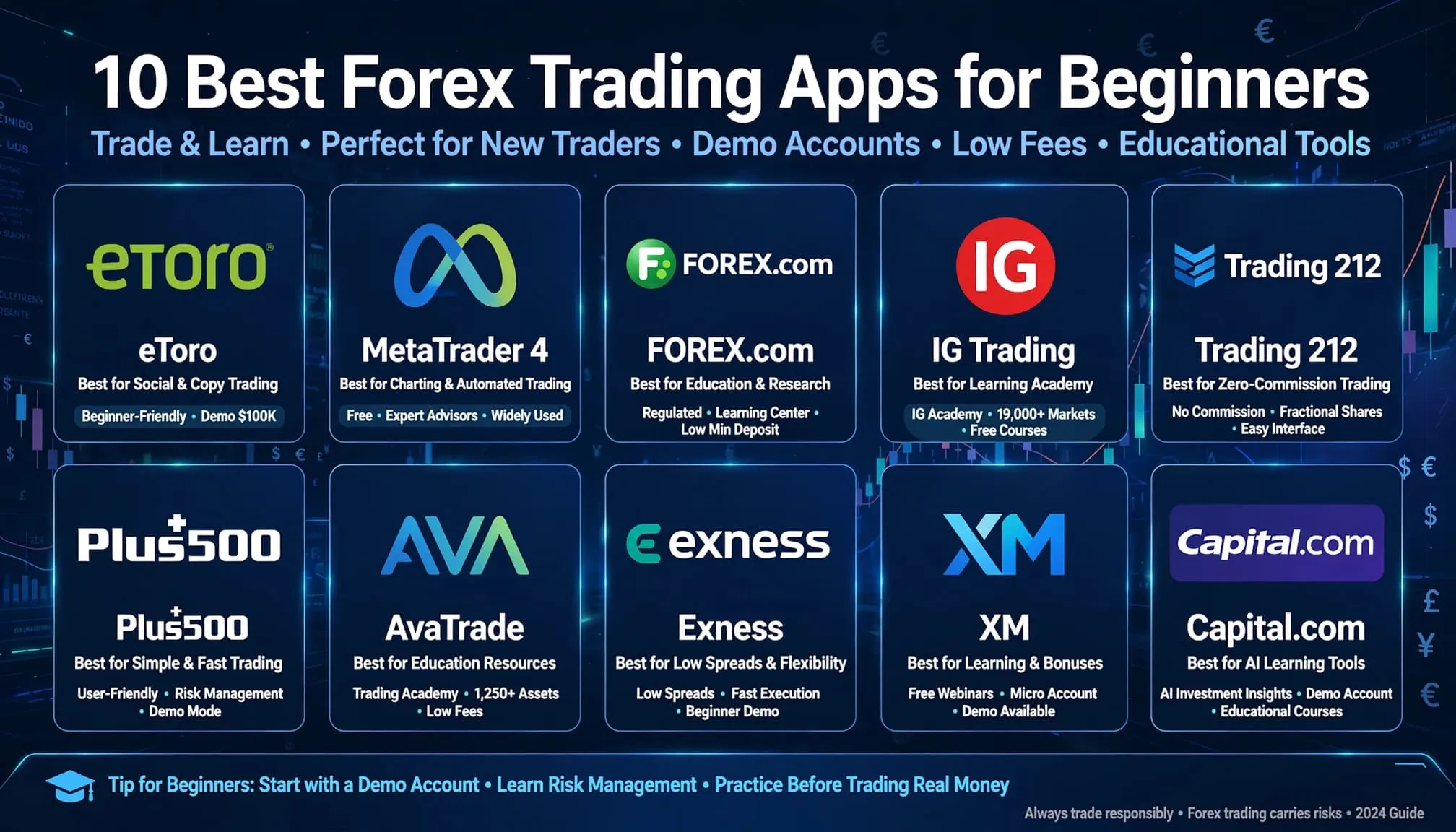
Choosing a first forex app means separating broker apps that place real trades from tools built for learning with demo money. The best beginner apps offer a free demo account, a low minimum deposit, simple order tools, and clear regulation, and the article advises practicing on demo for two to three weeks before opening a small live account.
It ranks ten options. Headway tops the list for tiny deposits, copy trading, and popularity in India and Southeast Asia. XM stands out for webinars and micro accounts, eToro for its social CopyTrader feature, and IG for strong regulation and its Academy lessons. FOREX.com is the practical choice for US residents, who are turned away by many offshore brokers.
MetaTrader 4 and 5 and cTrader are platforms rather than brokers, so you need a separate broker account to use them. Capital.com teaches through its Investmate courses, and TradingView offers charting and paper trading. Each entry covers demo access, deposits, costs, and eligibility by country. The article closes by urging readers to confirm current figures, read bonus terms carefully, and pair a broker with a learning tool.
Picking your first app is harder than it looks. Most forex trading apps for beginners look the same in the store, but they split into two groups: apps that place real trades with a broker, and apps built to teach you with demo money. Choose the wrong one and you either risk cash before you understand a lot size, or you practice on a tool you can never trade with.
Here is the short answer. The best forex trading app for beginners gives you a free demo account, a low minimum deposit, simple order tools, and clear regulation. For most people, that means starting on demo, then moving to a small live account of $10 or less once your results hold up for a few weeks.
Below, you get 10 apps sorted by what they do best, from MetaTrader 4 and broker apps to learning-focused tools. For each one, we cover demo access, minimum deposit, and who it suits, including options for traders in India. We also point out where a no deposit bonus can fund your first trades, and which terms to check first.
1. Headway
Headway earns the top spot because it fits the way most newcomers actually start: a tiny deposit, a phone, and a need for simple tools. It is a broker app first and a learning tool second, so you practice and trade in the same place.
What the app offers
The Headway app lets you open an account, deposit, trade, and withdraw from your phone. You can also log in to MetaTrader 4 and MetaTrader 5 with the same account if you want deeper charting.
The feature that stands out for a forex trading app for beginners is copy trading. You can follow experienced traders and mirror their orders automatically, which shows you how position sizing and stop losses work in real time. Copying does not remove risk, though. Pick traders with long, steady track records, not the ones with the biggest recent gains. Headway also runs welcome and deposit bonuses often, and we track them in our weekly promotions feed.
Who it is best for
Headway suits absolute beginners with small capital who want to learn on demo and then risk a few dollars. It is popular with traders in India, Indonesia, and Southeast Asia, partly because it supports local payment methods in many of those markets. If you are searching for the best app to do forex trading in India on a small budget, it belongs on your shortlist.
Availability depends on where you live. Offshore brokers like Headway generally do not accept US residents, so check eligibility before you register.
Demo account and minimum deposit
You can open a free demo account with virtual funds and trade live prices without depositing anything. Spend at least two to three weeks there. Test one strategy, keep a simple journal, and see whether your results survive a losing streak.
For live trading, the minimum deposit starts as low as $1 on entry-level account types, though some accounts require more. Amounts change, so confirm the current figures on the broker's site before you fund anything.
Practice on demo until your results hold, then fund a live account with money you can afford to lose.
Costs and spreads
Headway makes money mainly through spreads. The Standard account has no commission, and spreads on major pairs like EUR/USD typically start around 1 pip. Pro and Zero-style accounts offer tighter spreads, but they ask for a larger deposit and can add commission.
Watch two other costs. Swap fees apply if you hold positions overnight, and withdrawal or payment fees vary by method. Check the live spread on the pair you plan to trade during your usual hours, because spreads widen around news.
Pros and cons
Headway is easy to start with, but it is not the most heavily regulated name on this list. Weigh both sides:
Pros
- Very low minimum deposit and free demo account
- Built-in copy trading and MT4/MT5 support
- Regular bonuses and promotions
- Local payment options in many emerging markets
Cons
- Offshore regulation is weaker than top-tier oversight
- Not available in every country, including the US
- Bonus terms and withdrawal conditions need careful reading
- Fewer research and education tools than larger brokers
2. XM
XM is the pick if you want education built into your broker app. It has operated since 2009 and is a long-standing name for retail traders who want steady execution and plenty of learning material in one place.
What the app offers
The XM app handles registration, deposits, withdrawals, and trading from your phone, and you can also connect to MetaTrader 4 or MetaTrader 5. XM adds free webinars, video lessons, and daily market analysis, which makes it a strong forex trading app for beginners who learn by watching first. We also tested the XM no deposit bonus, and the terms matter more than the headline amount.
Who it is best for
XM suits cautious beginners who want to start with micro lots and read the fine print. It also works for readers comparing the best apps to learn forex trading, since the lessons sit next to a real platform. Availability varies by country, and XM generally does not accept US residents, so check eligibility first.
Demo account and minimum deposit
You can open a free demo account and trade live prices with virtual money. Use it to learn how lot size, leverage, and stop losses change your risk before a single dollar is on the line.
For live trading, the minimum deposit is typically $5, though it can differ by region and payment method. Start with a Micro account, where one lot is only 1,000 units, so a small deposit goes a long way.
Start on a Micro account, where a mistake costs cents instead of dollars.
Costs and spreads
XM charges mostly through spreads, and Micro and Standard accounts carry no commission. The figures below are typical starting points, so confirm current numbers in the app.
| Account | Lot size | Spreads from | Commission, A forex commission is a separate fee charged by a broker to open and close a currency trade, distinct from the bid-ask spread |
|---|---|---|---|
| Micro | 1,000 units | about 1.0 pip | None |
| Standard | 100,000 units | about 1.0 pip | None |
| Ultra Low | Micro or Standard | about 0.6 pip | None, cost built into spread |
Overnight swaps still apply, and XM may charge fees on some withdrawal methods.
Pros and cons
XM balances strong education against average spreads, so weigh both before you register.
Pros
- Low minimum deposit and free demo account
- Webinars, lessons, and daily analysis
- Micro accounts for tiny position sizes
- Supports MT4 and MT5
Cons
- Not available to US residents
- Spreads are not the tightest on Standard accounts
- Bonus terms and withdrawal conditions need careful reading
3. eToro
eToro is the social pick on this list. If you learn faster by watching real people trade than by reading about it, this forex trading app for beginners turns the market into something you can follow, question, and copy.
What the app offers
The eToro app pairs a clean trading screen with a social feed. You see what other traders hold, read their comments, and use CopyTrader to mirror their positions automatically. You can also trade stocks, crypto, and indices from the same account. Setup takes minutes, though charting is lighter than on MetaTrader.
Who it is best for
Choose eToro if you are a visual, social learner who wants an app that feels like a modern investing tool, not a trading terminal. There is one catch for US readers. US residents cannot trade forex CFDs on eToro and mostly get stocks, ETFs, and crypto, so check what your country allows before you register.
Demo account and minimum deposit
Etoro's virtual portfolio gives you about $100,000 in practice funds. Use it to test trades and watch how a copied trader handles a bad week before you commit real money.
Live deposits start at roughly $50 in many countries, with higher minimums elsewhere. Copying a single trader typically requires $200. Confirm current figures in the app.
Test CopyTrader on virtual money first, because copying a stranger with real cash is still a bet.
Costs and spreads
eToro charges no commission on forex, so you pay through the spread. EUR/USD usually sits near 1 pip, which is average, not tight. Other fees matter more here than on most apps.
| Cost | Typical amount, A typical starting amount for a forex trading account ranges from $500 to $1,000, though many brokers allow you to open an account with as little as $10 to $50 |
|---|---|
| Forex commission | None |
| EUR/USD spread | about 1 pip |
| Withdrawal | about $5 |
| Inactivity | about $10 per month after 12 months |
| Currency conversion | Applies if you fund in a non-USD currency |
Pros and cons
eToro is easy to learn on, but you pay for the convenience. Weigh both sides:
Pros
- Simple app with no platform setup
- CopyTrader shows how pros size and manage trades
- Large virtual portfolio for practice
- Regulated in several major markets
Cons
- No forex CFDs for US residents
- Higher minimums than Headway or XM
- Withdrawal and inactivity fees
- Basic charting for serious technical analysis
4. IG Trading
IG is the established, heavily regulated pick on this list. It was founded in 1974 and is listed on the London Stock Exchange, so it suits beginners who value trust and education over the lowest possible deposit.
What the app offers
The IG Trading app gives you live charts, price alerts, and one-tap order tickets across more than 80 forex pairs. Short IG Academy lessons explain pips, leverage, and risk, so you learn inside the same app you trade with. You can also connect to MetaTrader 4 or TradingView later if you want deeper charting.
Who it is best for
IG fits safety-minded beginners who want a broker with strong oversight and good learning material. Budget a bit more than $10 to start. Availability is the catch. IG generally does not accept traders in India, and its US offering has changed in recent years, so confirm eligibility for your country before you register.
Demo account and minimum deposit
IG's free demo account comes with roughly $10,000 in virtual funds and live prices. Use it to practice setting stops and limits until placing them feels automatic. Demo access can have a time limit, so check how long it stays active.
In many regions IG has no fixed minimum deposit. In practice, you still need enough to cover margin, so $100 or more is a realistic first deposit.
A well-regulated broker may cost more to start with, but it protects your money if something goes wrong.
Costs and spreads
IG charges no commission on forex CFDs, so you pay through the spread. EUR/USD spreads start around 0.6 pips on the standard account, which is competitive. Typical costs look like this, but confirm current numbers in the app.
| Cost | Typical amount, A typical starting amount for a forex trading account ranges from $500 to $1,000, though many brokers allow you to open an account with as little as $10 to $50 |
|---|---|
| Forex commission | None |
| EUR/USD spread | from about 0.6 pip |
| Overnight funding | Applies on held positions |
| Guaranteed stop | Premium charged if triggered |
| Inactivity fee | Charged after long inactivity |
Pros and cons
IG is a safe, polished place to learn, but you give up the tiny entry costs of smaller brokers.
Pros
- Strong regulation and a long track record
- Tight spreads and no forex commission
- IG Academy lessons built into the app
- Free demo account with live prices
Cons
- Not available in India, and limited for US residents
- Realistic starting deposit is higher than Headway or XM
- Demo account may expire
- Overnight funding and inactivity fees add up
5. FOREX.com
For US readers, FOREX.com is the most practical pick on this list. Most apps here turn American residents away, but this one is built for them, and it is run by StoneX, a publicly listed financial group with US regulatory oversight.
What the app offers
The FOREX.com app gives you 80+ currency pairs, live charts, price alerts, and a built-in news feed. You can also link your account to MetaTrader 4, MetaTrader 5, and TradingView if you outgrow the app.
Lessons and daily market analysis sit inside the platform. That means you can read a setup, then place the trade, without jumping between apps. Among forex trading apps for beginners in the US, that is a rare mix of education and real execution.
Who it is best for
Choose FOREX.com if you are a US-based beginner who wants a regulated broker and can start with $100 or more. It is not a fit for traders in India, since the broker generally does not serve that market, so confirm eligibility first.
Expect stricter rules, though. US retail accounts follow FIFO order rules, cannot hedge, and face leverage caps of about 50:1 on major pairs. Those limits feel annoying, but they keep a new trader from oversizing a position.
For a US beginner, the best forex app is the one that is actually allowed to serve you.
Demo account and minimum deposit
You can open a free demo account with virtual funds and live prices. Use it to test the app's order tickets and try one strategy for a few weeks. Demo access may expire after a set period, so check how long yours lasts.
For live trading, the minimum deposit is typically $100. That is higher than Headway or XM, so this is not the cheapest way to start. Confirm the current figure before you fund anything.
Costs and spreads
FOREX.com offers a commission-free Standard account and a Raw Spread account. Typical figures look like this, but check the live numbers in the app.
| Cost | Typical amount, A typical starting amount for a forex trading account ranges from $500 to $1,000, though many brokers allow you to open an account with as little as $10 to $50 |
|---|---|
| Standard account commission | None |
| EUR/USD spread (Standard) | from about 1 pip |
| Raw Spread account | Tighter spreads plus a per-trade commission |
| Overnight financing | Applies on held positions |
| Inactivity fee | Charged after long inactivity |
Pros and cons
FOREX.com trades low cost for safety, which suits many US beginners.
Pros
- Regulated and open to US residents
- Free demo account and built-in education
- MT4, MT5, and TradingView support
- Raw Spread option as you improve
Cons
- $100 minimum deposit is higher than offshore brokers
- FIFO and no-hedging rules for US accounts
- Standard spreads are average
- Not available in India
6. MetaTrader 4
MetaTrader 4 is not a broker. It is the platform that hundreds of brokers, including Headway and XM from this list, plug into. Released in 2005, it is still the most widely used retail forex platform, and learning it pays off at almost any broker you join.
What the app offers
The MT4 mobile app gives you live quotes, charts with nine timeframes, about 30 built-in indicators, and one-tap order entry. You also get price alerts and a full trade history. Desktop MT4 adds Expert Advisors, which are automated strategies, but you can ignore those at first. Because tutorials, forums, and courses target MT4, it doubles as a practical app to learn forex trading.
Who it is best for
MT4 suits beginners who want a skill that transfers. Learn one interface and you can switch brokers without starting over. It is less polished than eToro, and the screen looks dated. Setup also takes a few steps, because you must log in to a broker's server. Availability depends on the broker you choose, not on MT4 itself, so check that broker's rules for your country.
Demo account and minimum deposit
You can open a free demo account inside the app by picking a broker's server and tapping New Demo Account. The virtual balance is usually between $10,000 and $100,000. Use it to practice placing stops, changing lot sizes, and reading indicators.
MT4 has no minimum deposit of its own. The broker sets it. Offshore brokers often start at $1 to $10, while FOREX.com asks for about $100. Confirm the current figure before you fund an account.
Learn MT4 once, and you can take that skill to almost any broker.
Costs and spreads
The app is free to download. Your costs come from the broker behind it, so compare them before you register.
| Cost | What to expect, The global Forex market is entering Q4 2026 amid a sharp shift toward coordinated central bank tightening |
|---|---|
| MT4 app | Free |
| Spreads | Set by your broker, often from about 1 pip |
| Commission | Depends on account type |
| Overnight swaps | Charged on held positions |
Pros and cons
MT4 is proven and flexible, but it is not the friendliest first screen.
Pros
- Free, with a huge library of tutorials
- Works with hundreds of brokers
- Strong charting and indicators
- Same skills carry over to any account
Cons
- Dated look and a steeper first setup
- Needs a separate broker account
- No built-in lessons
- Fewer timeframes and order types than MetaTrader 5
7. MetaTrader 5
MetaTrader 5 is the newer sibling of MT4, released in 2010 by the same developer, MetaQuotes. It is not a broker either, so the same rule applies. You need an account with a broker that offers it.
What the app offers
The MT5 mobile app gives you 21 timeframes, a built-in economic calendar, and depth of market on top of the MT4 basics. Charts are smoother, and one-tap trading works the same way.
Brokers can also offer stocks and futures through the same login, and accounts can run in netting or hedging mode. For a beginner, the calendar is the real bonus. It shows when news is about to hit, which is exactly when spreads widen.
Who it is best for
Choose MT5 if you want a forex trading for beginners app with room to grow into other markets. It suits traders who expect to add stocks or build automated strategies later. The catch is support. Some brokers still offer only MT4, and tutorials are thinner than for the older platform. US residents also face broker rules that restrict hedging, so check your broker's account type.
Demo account and minimum deposit
Open a free demo account from the app by choosing a broker's server and tapping New Demo Account. Balances are usually $10,000 or more. Use the economic calendar during demo trading to see how a news release moves your open position.
MT5 has no minimum deposit of its own. Your broker sets it, and offshore brokers often start between $1 and $10.
MT5 offers more tools than MT4, but you only benefit from them once you can use the basics.
Costs and spreads
The app costs nothing to download. Your trading costs depend on the broker behind it, and some brokers price MT5 accounts differently from MT4 accounts.
| Cost | What to expect, The global Forex market is entering Q4 2026 amid a sharp shift toward coordinated central bank tightening |
|---|---|
| MT5 app | Free |
| Spreads | Set by your broker, often from about 1 pip |
| Commission | Depends on account type |
| Overnight swaps | Charged on held positions |
Pros and cons
MT5 is more capable than MT4, but that power comes with a learning curve.
Pros
- Free, with 21 timeframes and an economic calendar
- Trades more asset types than MT4
- Hedging and netting account options
- Runs on desktop, web, and mobile
Cons
- Fewer brokers and tutorials than MT4
- Busier screen for a first-time user
- Needs a separate broker account
- No built-in lessons
8. cTrader
cTrader is the pick for beginners who find MetaTrader dated. Like MT4 and MT5, it is not a broker. Spotware built it in 2011, and mostly ECN-style brokers license it, so you need an account with one that offers it.
What the app offers
The cTrader mobile app has a clean, modern layout with live quotes, interactive charts, and one-tap trading. It also shows Level II pricing, which means you see the market depth behind each quote. You get advanced order types and a detailed trade history too. One cTrader ID logs you in on mobile, web, and desktop. Desktop adds cTrader Automate for coding bots in C#, which you can ignore at first. Some brokers also offer copy trading inside the platform.
Who it is best for
Choose cTrader if you want a cleaner screen than MT4 and plan to trade with an ECN broker. Among the best forex trading apps for beginners who expect to grow into serious charting, it is a strong middle ground. The catch is support. Fewer brokers offer it, and tutorials are thinner than for MT4, so check your broker's platform list before you register.
A cleaner interface makes it easier to see what your order is actually doing.
Demo account and minimum deposit
Log in with a cTrader ID, then open a free demo account with a broker that supports the platform. Balances usually start around $10,000. Use it to learn stop losses, take profits, and market depth before real money is involved.
cTrader has no minimum deposit of its own. The broker sets it. ECN brokers often ask for $100 to $200, though some start lower. Confirm the current figure before you fund anything.
Costs and spreads
The app is free. Your costs come from the broker, and ECN accounts usually mean raw spreads plus a commission. Typical figures look like this, but check them live.
| Cost | What to expect, The global Forex market is entering Q4 2026 amid a sharp shift toward coordinated central bank tightening |
|---|---|
| cTrader app | Free |
| EUR/USD spread | Often from 0.0 to 0.3 pips |
| Commission | Often $3 to $3.50 per side, per standard lot |
| Overnight swaps | Charged on held positions |
Pros and cons
cTrader is polished and transparent, but it asks you to find the right broker first.
Pros
- Modern interface that is easy to read
- Level II pricing and advanced order types
- One login across mobile, web, and desktop
- Raw spreads suit active traders
Cons
- Fewer brokers and tutorials than MT4
- Commission on most accounts
- Higher minimum deposits at many ECN brokers
- Needs a separate broker account
9. Capital.com
Capital.com is the learning-first broker on this list. It is regulated by authorities such as the UK's FCA and CySEC, and its app puts lessons next to the order button.
What the app offers
The Capital.com app gives you access to 3,000+ markets, including dozens of forex pairs, with clean charts and price alerts. Its standout feature is Investmate, a free in-app learning platform with short courses and quizzes on pips, leverage, and risk. That makes it a strong forex trading app for beginners who want to study and trade in one place. You can also connect TradingView or MetaTrader 4 when you want deeper charting.
Who it is best for
Choose Capital.com if you are a beginner who wants structured lessons from a regulated broker. It suits anyone hunting for the best app to learn forex trading, because the courses sit beside a real account. Availability is the catch. The broker generally does not offer forex CFDs to US residents or traders in India, so confirm eligibility before you register.
Demo account and minimum deposit
You can open a free demo account with virtual funds and live prices, with no deposit required. Work through an Investmate lesson, then place the same setup on demo. That loop teaches faster than reading alone.
For live trading, the minimum deposit is commonly around $20, though it varies by country and payment method. Check the current figure in the app before you fund anything.
Take the lesson, then place the trade on demo before you risk a dollar.
Costs and spreads
Capital.com charges no commission on forex, so you pay through the spread. Typical figures look like this, but verify them live.
| Cost | Typical amount, A typical starting deposit for retail forex trading ranges from <$10 to $100 for micro accounts, |
|---|---|
| Forex commission | None |
| EUR/USD spread | from about 0.6 pip |
| Overnight funding | Applies on held positions |
| Guaranteed stop | Premium charged if triggered |
| Inactivity fee | Charged after long inactivity |
Pros and cons
Capital.com is a good place to learn, but its reach is limited by country.
Pros
- Investmate lessons built into the app
- Strong regulation in several major markets
- Free demo account with live prices
- No forex commission and competitive spreads
Cons
- Not available to US or Indian residents for forex CFDs
- Minimum deposit is higher than Headway or XM
- Overnight funding and inactivity fees
- Fewer advanced tools than cTrader or MetaTrader
10. TradingView
TradingView is the odd one out, and that is why it earns a spot. It is a charting and social platform, not a broker, so you use it to study the market and practice, then trade through a connected broker if you choose.
What the app offers
The TradingView app gives you smooth charts, 100+ built-in indicators, drawing tools, and price alerts on phone, web, and desktop. A large community posts trade ideas and free scripts written in Pine Script, so you can see how other people read the same chart. You can also link supported brokers, including FOREX.com and Capital.com from this list, and place orders straight from the chart.
Who it is best for
Choose TradingView if you want the best app to learn forex trading through charts. It suits beginners who want to understand support, resistance, and trends before they risk money. It works in both the US and India, but broker connections depend on your country, so check which brokers your region supports.
Expect to pair it with a broker app for execution. On its own, it will not hold your money.
TradingView teaches you to read the market, and a broker is what lets you trade it.
Demo account and minimum deposit
TradingView includes free paper trading with about $100,000 in virtual funds. You place simulated orders on live charts and track results with no deposit. Paper trading does not copy real spreads and slippage perfectly, so expect live results to be a little worse.
TradingView has no minimum deposit of its own. Your connected broker sets that figure.
Costs and spreads
The free Basic plan covers most beginner needs, but it shows ads and limits you to a few indicators per chart. Paid plans add more indicators, charts, and alerts. Prices below are approximate, so confirm them on the plans page.
| Plan | Typical monthly price, The bid-ask spread is the difference between the highest price a buyer will pay (bid) and the lowest price a seller will accept (ask) | Best for |
|---|---|---|
| Basic | Free | Learning and paper trading |
| Essential | about $13 | More indicators and alerts |
| Plus | about $30 | Multiple charts per tab |
| Premium | about $60 | Heavy, daily chart use |
TradingView charges no spreads or commissions. Those costs come from the broker you connect.
Pros and cons
TradingView is the best place to build chart skills, but it is not a full trading solution.
Pros
- Free plan with real-time charts and paper trading
- Huge library of indicators, scripts, and ideas
- Works on every device with one login
- Connects to several regulated brokers
Cons
- Not a broker, so you need a separate account to trade
- Free plan has ads and indicator limits
- Paid plans add a monthly cost
- Community ideas vary in quality, so verify before you copy
Picking your first forex trading app
The best forex trading apps for beginners share the same basics: a free demo account, a low minimum deposit, and clear regulation. Start with the app your country actually allows. US readers will lean toward FOREX.com, while traders in India can look at Headway, XM, or any broker that offers MetaTrader.
From there, keep the path simple. Practice on demo for two to three weeks, keep a journal, and open a small live account only when your results hold. Pair a broker app with a learning tool like TradingView or Capital.com's lessons, and read every bonus term before you count the bonus as free money.
Ready to compare real offers? See the current forex bonuses and broker reviews on FXNewInfo, where we track no deposit credits, welcome bonuses, and the fine print that decides whether you can withdraw.
Add Your Comment
Comment(0)
Forex No Deposit Bonus

$100 Forex No Deposit Bonus Offer by Best Broker
29 January 2024

New $30 No Deposit Forex Bonus at JustMarkets Today
19 November 2021

No Deposit New Bonus $500-$1500 at InstaForex for Trading
24 October 2021

Money Never Sleeps Fx Trading Contest
12 October 2016
Get a $50 hi account for free from CWG
20 October 2021
Headway $111 New Withdraw-able Non Deposit Bonus
22 March 2022
$100 Free Forex No Deposit Bonus Powered by ForexChief
17 September 2021

InstaForex Free $500 Bonus on No-Deposit Forex Trading
24 August 2022














Comments (0)